
Almost half of all Google searches have some kind of local intent behind them. And yet most local businesses barely show up for the searches that would actually bring them customers.
You’ve done this search yourself. “Plumber near me.” “Best dentist in Houston.” The businesses sitting at the top of those results didn’t get there by accident. There’s a system behind it, and honestly, it’s not that mysterious once you break it down. That’s what this guide is — a walkthrough of that system, written for the restaurant owner in Phoenix, the law firm in London, and the cleaning company in Chicago alike.
1. What local SEO actually is
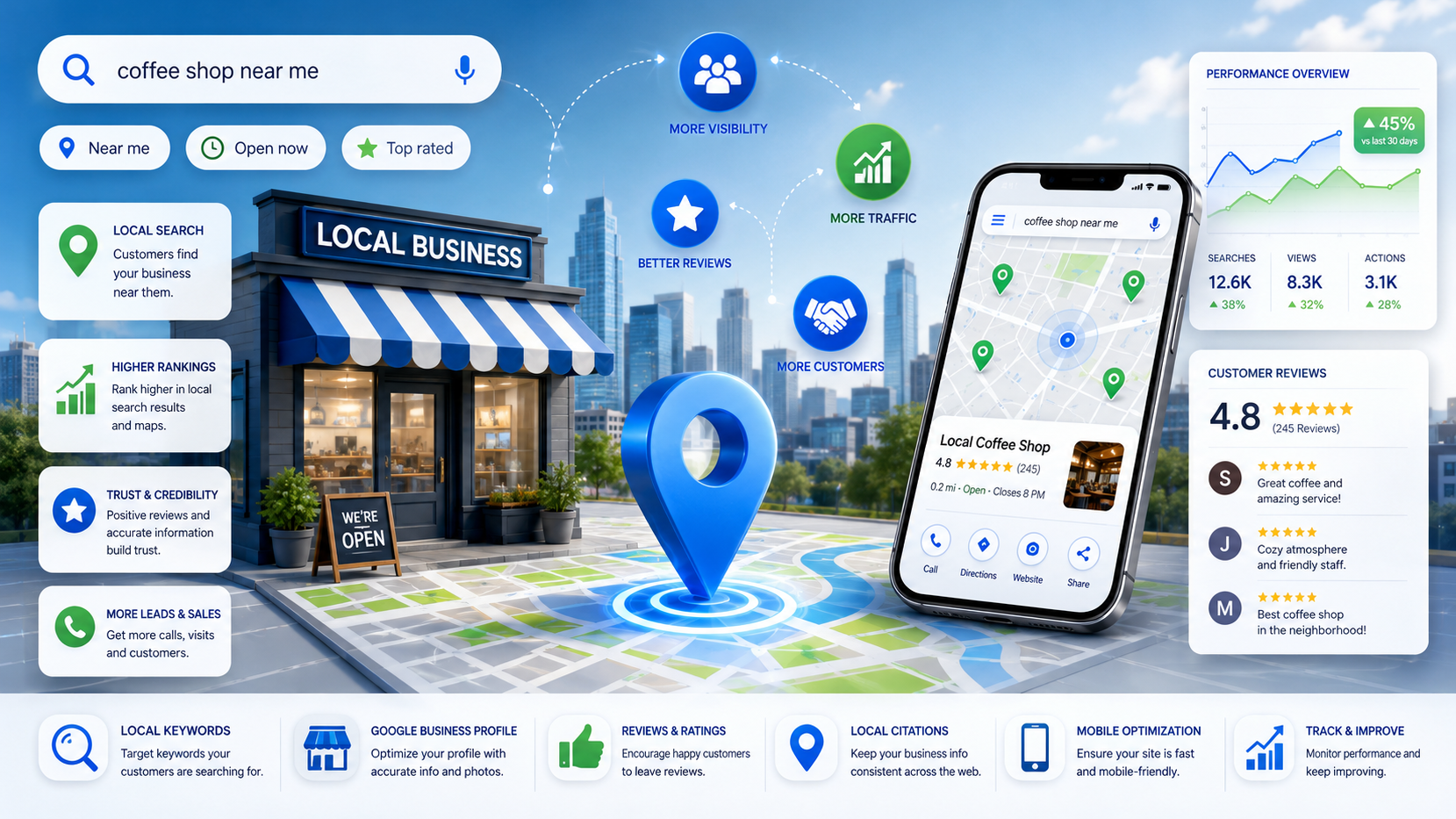
Local SEO is the work of getting your business to show up when someone nearby searches for what you do. Simple enough on paper.
Where people go wrong is thinking it’s mostly about Google Maps — get a pin on the map, done. It isn’t. Your Maps listing is just one element of a bigger picture, including your website, your reviews, the uniformity of your business information online and your publishing. Google is really asking a question here: Whom is the most relevant and trustworthy among these people in this region? All of this is a part of that response.
The three things Google actually weighs
Proximity. How close you are to the person searching. You can’t control this directly, though your service-area settings and location pages nudge it a bit.
Relevance. Does your business match the search? This is where your GBP category, your keywords, and your site content do the heavy lifting.
Prominence. Basically: are you known and trusted? Reviews, backlinks, citations, domain authority — all of it rolls up into this.
Nail all three and you’re not just showing up, you’re the obvious pick.
Some of this work pays off faster than the rest. If you’re wondering where to spend your first few hours:
| Task | Impact | Speed |
| Optimizing your Google Business Profile | Very high | Fast |
| Getting more reviews | High | Medium |
| Building citations | Medium | Medium |
| Local link building | High | Slow |
| On-page SEO | High | Medium |
Do you even need this?
Probably yes if you have a physical location people visit — a restaurant, a salon, a clinic. Also yes if you serve a defined area, like plumbers or electricians do, or if you’re chasing clients in a specific city, the way law firms and agencies often are.
Probably not if you’re fully remote and selling to anyone, anywhere — a SaaS company with no geographic ties doesn’t need to care about any of this.
How fast will you see anything?
Don’t expect it to happen overnight—anybody who says they will do it is selling you something. You will see real traffic in your business after approximately 3-6 months. Genuinely dominating a competitive market takes closer to a year.
The downside however, is that as soon as you stop paying for ads, they stop working. Local SEO isn’t like that. If you are consistent in your work for 12 months, you will create something that will continue to generate leads well after you have switched to another project.
2. Your Google Business Profile
If you only do one thing after reading this, make it your Google Business Profile. Everything else in this guide matters, but this is the lever that moves the needle fastest.
GBP is what populates Google Maps and the local 3-pack — those three businesses that show up with a map next to them at the top of local searches. That 3-pack gets the overwhelming majority of clicks. If you’re not in it, you’re basically not in the conversation.
Claim it, then verify it
Search for your business at business.google.com. If there’s already a listing, claim it. If not, create one.
Google will usually verify you by postcard, phone, or email. Don’t skip this — an unclaimed, unverified listing is fair game for anyone to edit, and it won’t rank well regardless.
One mistake I see constantly: people use a PO Box or a virtual office address to avoid listing their home address. Don’t. Google’s rules don’t allow this for most business types, and listings built on fake addresses get suspended.
Pick your category carefully
This is the single field that does the most work. It’s how Google decides what your business is and when to show it.
A few things to keep in mind — your primary category should be your core business, not something adjacent (a dentist should pick “Dentist,” not “Health & Beauty”). Add secondary categories only for services you genuinely offer. And don’t settle for a broad category when a specific one exists; Google has thousands to choose from. If you’re not sure which one fits, look at what your top three competitors picked. If they all landed on the same one, that’s usually your answer too.
The description most businesses waste
You get 750 characters. Most people fill them with “We’re a passionate team dedicated to excellence,” which says nothing and helps no one.
Better use of the space: work your main keyword into the first sentence — ideally one of the low competition keywords you’d actually have a shot at ranking for — name your city, say what actually makes you different, and list a couple of your core services. If you’ve got a real credibility marker — years in business, number of customers, a license — throw it in too.
Here’s one that does this well, for a plumbing company:
“24/7 plumbing, drain cleaning, and water heater installation with same-day service across Houston, TX. Trusted by over 800 Houston homeowners since 2014. Licensed and insured.”
That’s two sentences doing a lot: keywords, city, a real differentiator (same-day, 24/7), and proof (800 customers, since 2014, licensed).
Photos matter more than people think
A profile with a solid photo gallery pulls noticeably more direction requests and website clicks than one without. It’s one of the cheapest wins on this whole list.
Lead with a strong cover photo — well-lit, professional, either your storefront or your team. Add interior shots so first-time visitors know what to expect. Show the actual work or product people are paying for. And put faces to the business with team photos, because people trust people more than they trust logos.
Aim for ten photos to start, and keep adding new ones — once a month is a reasonable pace. Recency tells Google (and customers) that you’re actually open and active.
Post something, weekly if you can
GBP has a posting feature that shows updates right on your listing, and almost nobody uses it. Which is exactly why it’s worth using — it’s free visibility your competitors are leaving on the table.
Mix it up: an offer here and there (“mention this post for 10% off”), event announcements, updates about new services or hours, or just a highlight of your best-selling service. Most posts stay live about a week before they expire, so weekly is roughly the right cadence to keep your listing looking active.
Address or service area — pick the right one
If people come to you — a salon, a gym, a restaurant — list your real address and pin it accurately.
If you go to them — a plumber, a mobile detailer, a caterer — skip the public address entirely and set a service area instead. Listing an address you don’t actually operate customers out of is a fast way to get flagged.
3. Finding the keywords your city is actually searching
Most business owners just guess at keywords. Guess “plumber Houston,” write a page, move on. It’s not that this doesn’t work at all — it’s that you’re leaving a lot on the table by not checking what people are actually typing.
There are really two flavors of local keywords you’re after. Geo-modified ones, where the person names a location themselves — “personal trainer in Manchester,” “SEO agency Dallas.” And “near me” ones, where they don’t type a city at all and just trust Google to figure out where they are. You need to show up for both, and they don’t always behave the same way in search results.
A few ways to actually find these, none of which cost anything:
Open an incognito window and start typing your service plus your city into Google. Whatever autocomplete suggests, people are actually searching. Takes five minutes and gives you a real list.
If your site’s been around a while, pull up Google Search Console, go to Performance, and filter your queries to position 4 through 20. Those are searches where you’re almost ranking — close enough that a little targeted content could push you into the top few spots.
Search your main keyword and look at the “People Also Ask” box, plus the related searches at the bottom of the page. That’s Google handing you real customer questions for free.
And if you want to see what you’re missing, plug a competitor’s site into Ubersuggest or Semrush’s free tier and see what keywords they rank for that you don’t. That gap is usually where the easiest opportunities are hiding.
Don’t cram everything onto one page
A mistake I see constantly: businesses try to make their homepage rank for every keyword they’ve found. It almost never works — Google generally rewards pages built around a single, clear intent, not pages trying to be everything at once. This is really where content clusters come in: one solid pillar page surrounded by supporting pages that each own a narrower piece of the topic, all linking back to each other.
Instead, spread the work out:
| What someone’s searching | Where it should live |
| “[Service] in [City]” | A dedicated service page |
| “[City] [Service] near me” | A location landing page |
| “How to [solve a problem]” | A blog post |
| “[Service] cost in [City]” | An FAQ or pricing page |
| “[Neighborhood] [Service]” | A page for that neighborhood |
One page, one intent, one keyword cluster. It’s more work upfront but it’s what actually ranks.
4. On-page SEO for local businesses
Mentioning your city three times on a page isn’t a strategy — it’s barely a start. What actually moves the needle is solid site architecture SEO — a site built in a way search engines can crawl, understand, and trust.
Title tags people actually click
Your title tag is the blue link in search results, and it’s still one of the strongest things you control on a page. A formula that consistently works: [Primary Keyword] in [City] | [Business Name].
A few examples of what that looks like in practice — “Emergency Plumber in Houston | Smith Plumbing Co.,” “Divorce Lawyer in Toronto | Thompson Family Law,” “Best Italian Restaurant in Edinburgh | La Piazza.”
The meta description underneath it doesn’t move rankings directly, but it absolutely moves whether someone clicks. Write it the way you’d write a small ad — a benefit, something that sets you apart, a light nudge to act. If you want to find a Houston plumber now, then you’re in the right place. Smith Plumbing is available 24/7 and there is no time like the present. 800+ local families trust us. Call today.”
Location pages, done right
A location page is exactly what it sounds like — one page per city or neighborhood you serve. Done well, these quietly become some of your best-performing pages. Done lazily, they’re the kind of thin, near-duplicate content Google has gotten very good at ignoring.
What separates a location page that ranks from one that doesn’t usually comes down to a handful of things: a genuinely unique H1 combining the city and service, an opening paragraph that mentions the city naturally rather than stuffing it in, an embedded map, a real list of what you offer in that specific area, testimonials from actual customers in that city, a bit of local flavor (nearby landmarks, neighborhoods you cover), a clear way to contact you, and your name/address/phone spelled out in plain text.
What kills them is just as predictable — copying one page and swapping the city name, writing under 500 words, or offering nothing that feels specific to that place. If you serve ten cities, that’s ten pages that each need to feel like someone who actually knows that city wrote them. Because someone should have.
NAP consistency — small detail, real consequences
NAP is just Name, Address, Phone. It needs to match, exactly, everywhere it appears — your site, your GBP, every directory, every citation. Sounds trivial. It isn’t.
“Street” versus “St.” counts as a mismatch. So does “Suite 4” versus “#4,” or a phone number that’s three years out of date sitting in some directory you forgot existed. Google reads these inconsistencies as a trust problem, and trust problems tend to show up as ranking problems.
The fix is tedious but not complicated: Google your exact business name, click through every result — Yelp, Bing, Facebook, whatever industry directories apply to you — note where things don’t match, and go fix them one by one. If that sounds like a lot of manual work, it is, and tools like BrightLocal or Whitespark exist specifically to take it off your plate.
Schema markup
This is code that tells Google, in a structured way, exactly what your business is and where it’s located. It won’t directly boost your ranking, but it can unlock rich results — star ratings, hours, phone numbers showing right in the search listing — which tends to lift click-through rate noticeably.
The one you want is LocalBusiness JSON-LD. Here’s a simplified version you can adapt:
<pre><code><script type="application/ld+json">
{
"@context": "https://schema.org",
"@type": "LocalBusiness",
"name": "Smith Plumbing Co.",
"address": {
"@type": "PostalAddress",
"streetAddress": "123 Main Street",
"addressLocality": "Houston",
"addressRegion": "TX",
"postalCode": "77001",
"addressCountry": "US"
},
"telephone": "+1-713-555-0100",
"url": "https://smithplumbing.com",
"openingHours": "Mo-Fr 08:00-18:00",
"geo": {
"@type": "GeoCoordinates",
"latitude": 29.7604,
"longitude": -95.3698
}
}
</script></code></pre>Drop that in the <head> of every location page, then run it through Google’s Rich Results Test to make sure it’s actually valid.
5. Citations and directory listings
A citation is just any mention of your name, address, and phone number online — Yelp, a local directory, wherever — whether or not it links back to your site.
Think of citations as corroboration. Each one is a small signal to Google that says “yes, this business is real, and it’s located here.” Get enough consistent citations and Google’s confidence in your listing goes up. That confidence tends to show up in your rankings.
The essential ones — Google Business Profile, Bing Places, Apple Business Connect, your Facebook page, and Yelp — you really shouldn’t skip any of these.
A tier below that, still worth doing: Yellow Pages, Foursquare, the Better Business Bureau, Trustpilot, Nextdoor.
And then there’s the industry-specific stuff, which honestly punches above its weight because it’s so topically relevant. Home services businesses want Angi, HomeAdvisor, and Houzz. Legal wants Avvo and FindLaw. Healthcare wants Zocdoc and Healthgrades. Restaurants want TripAdvisor and OpenTable.
You’ve got two ways to actually build these out. Do it yourself, which is free but genuinely eats a weekend — figure 15 to 20 hours to work through the top 50 directories properly. Or pay a service like BrightLocal, Whitespark, or Yext to push your info out to hundreds of directories at once, usually somewhere between $20 and $50 a month. If your time is worth more than that per hour, the math is pretty easy.
6. Reviews
If I had to pick the most underused lever in local SEO, it’s this one. Reviews affect rankings, sure, but they also just… work. People read them before they call.
Google’s confirmed reviews factor into ranking, though nobody outside Google knows the exact weighting. What seems to matter: how many you have relative to competitors, how recently they’ve come in, how consistently they keep coming, whether they mention your services or city naturally, and whether you actually respond to them.
Getting more of them, without cutting corners
Don’t buy reviews. Full stop. Google’s spam detection is good enough now that it’s not worth the risk of losing your listing entirely.
What actually works is just asking, more than most business owners think to. People are more willing to leave a review than you’d expect — the real obstacle is usually that nobody prompted them.
A text within 24 hours of finishing a job tends to work well: “Hi [Name], thanks for choosing us! We’d really appreciate a quick Google review — it helps others in [city] find us. Here’s the link: [link]. Takes less than a minute.”
A QR code on a receipt or business card does the same job with even less friction — someone scans it, they’re already on the review page.
If neither of those fits your business, a short email sequence works too: one message a day after service, a gentle follow-up five days later if nothing’s come in.
Whichever method you use, grab the direct short link from your GBP dashboard rather than just telling people to “search us on Google and leave a review.” The extra step is where most people drop off.
When a bad review shows up
It will eventually, and how you respond matters more than the review itself, because everyone reading it afterward is really reading your response.
Thank them by name. Don’t get defensive. Take responsibility where it’s fair to. Offer to sort it out somewhere other than the review section. And whatever you do, don’t argue with them publicly — nobody wins that.
Something like: “Hi Sarah, thank you for sharing this — I’m sorry your visit didn’t meet expectations, that’s not the standard we hold ourselves to. I’d like to make this right. Please call [number] and ask for the manager directly. We appreciate you letting us know.”
7. Local link building
Links from other sites are still one of the strongest signals in SEO generally, and the local version of this — links from sources that are actually tied to your area — carries extra weight because it’s both authoritative and geographically relevant at once.
A link from your local newspaper does more for you than ten links from random national directories. It’s specific, it’s editorial, and it’s clearly tied to the place you’re trying to rank in.
Some tactics worth trying, roughly in order of how much effort they take:
Sponsoring a local team, school, or charity often gets you listed on their site with a link — cheap, and it’s usually genuine community involvement anyway. Pitching a local journalist with a real story (“local business gives free services to frontline workers”) can land press coverage most competitors never bother chasing. Joining your Chamber of Commerce usually gets you a member listing with a link, plus the networking is worth it on its own. Writing something genuinely useful — a “complete guide to starting a business in [city]” — gives local bloggers and community sites a reason to link to you organically. Teaming up with a complementary, non-competing business (a trainer and a nutritionist, say) to cross-list each other costs nothing. A small annual scholarship can earn you a link from a university site, which usually carries serious domain authority. Getting included in a local “best of” roundup, hosting a community event that gets picked up by event-listing sites, chasing down unlinked mentions of your name with Google Alerts, or applying for a local business award — all worth doing, none of them urgent.
One caution worth flagging: some of these — paid sponsorships especially, and directory submission fees — involve money changing hands for a link. Google’s guidelines are genuinely strict about links that exist purely to manipulate rankings. Stick to relationships you’d pursue anyway, and mark clearly transactional links as nofollow or sponsored so you’re not creating a problem for yourself down the line.
8. What to actually measure
You can’t tell if any of this is working without tracking it. Here’s what’s actually worth checking, monthly, at minimum.
Where you sit in the local 3-pack for your priority keywords — BrightLocal and Semrush both track this. How often your GBP listing shows up in search, which tells you whether visibility is trending up even before anyone clicks. How many of those impressions turn into clicks to your website. How many people ask Google Maps for directions to you — a strong signal since these are people seriously considering a visit. How many calls come directly from your GBP listing, if you’ve got tap-to-call set up. How many new reviews you’re getting each month, tracked separately from your running total. And how much of your website traffic, per Google Analytics, is coming from the cities you actually care about.
For tools: Google Business Profile Insights, Search Console, and Analytics 4 cover the basics for free. Once you’re ready to invest, BrightLocal (roughly $30–80/month) is the strongest all-in-one option for rank tracking, Whitespark ($25–100/month) is worth it mainly for citation management, and Semrush ($120+/month) earns its keep on keyword research and competitor digging.
Most small businesses can run entirely on the free tools for the first several months. Add a paid one once you’re ready to scale, not before.
9. A 30-day plan
Week 1 — the basics. Claim and verify your GBP. Get your categories right. Rewrite your description properly. Upload at least ten photos. Audit your NAP across your top ten directory listings and fix whatever’s inconsistent. Get listed on Bing Places and Apple Business Connect.
Week 2 — the website. Fix your homepage title tag, meta description, and H1 to include local keywords. Make sure your NAP is in the footer of every page. Build or clean up your main service page. Add LocalBusiness schema to your homepage. Build one solid location page for your primary city.
Week 3 — reviews and citations. Set up your review request link. Reach out to your ten most recent customers and ask for a review. Get listed on the top 20 directories for your industry. Set up Google Alerts for your business name. Reply to every review you already have.
Week 4 — content and links. Publish your first GBP post. Reach out about joining your local chamber. Find five local sites or blogs that might feature you. Write one genuinely local blog post — aim for 1,500 words or more. Set up rank tracking so you can actually see progress going forward.
Then, every month after that: post to GBP weekly, ask for reviews consistently, publish one local piece of content, respond to what comes in, and check your numbers.
10. A last word
Local SEO has this frustrating shape where it feels like nothing’s happening for a long stretch, and then things move quickly all at once.
The first few months genuinely can feel like effort going nowhere. Then your GBP starts pulling more calls. A location page starts showing up. Reviews build up to the point where they’re doing real persuasive work. One decent press mention brings a couple of links with it. Rankings start climbing, and they keep climbing.
By month nine or ten, the businesses that are stuck with it are usually hard to unseat — not because they’re smarter than everyone else chasing the same customers, but because they started earlier and didn’t stop. That’s really the whole game.