
Most people treat SEO like a coat of paint — something you slap on once the “real” work of building the site is done. That’s backwards. SEO is closer to the foundation of the house. You can paint the walls however you like, but if the foundation’s cracked, nothing above it is going to hold.
Technical SEO, specifically, is about making sure your website actually meets the technical bar search engines expect before they’ll reward it with rankings. For a brand-new site, this isn’t optional polish. It’s one of the more overlooked SEO strategies for new websites, and skipping it early usually means paying for it later, once there’s actual content and traffic riding on a shaky setup.
Building the Right SEO Foundation Before Launch

As soon as your search engine spider visits your server for the first time, the relationship begins. If it takes a long time to visit the first time, or the code it finds is a mess you’re already behind before you publish a page.
Reliable Hosting Matters More Than People Think
Hosting is the part everyone skips over, and it shouldn’t be. Cheap shared hosting plans put dozens (sometimes hundreds) of other sites on the same server, all competing for the same CPU and memory. If one of your “neighbors” gets a traffic spike, your site can slow down for no reason you’d ever notice from the outside. A fast, dedicated or reputable cloud host isn’t a luxury — it’s the thing every other optimization on this list depends on. Speed up your images all you want; it won’t matter if the server itself takes three seconds to respond.
Don’t Let Your CMS Get Bloated
Your CMS setup matters just as much. WordPress, for example, ships pretty SEO-friendly out of the box — but that changes fast once you start bolting on plugins. Every one of them adds more code to the browser to be loaded, parsed and executed prior to the page becoming usable. Most technical SEO experts will tell you, do only plugins that have a purpose and get rid of the rest. A decent rule of thumb for a new site is to run as little as you can get away with.
Creating a Website Structure Search Engines Understand
Think of search engines as filing systems, not readers. If your site’s structure is a tangle of random folders and inconsistent naming, the “filer” — the crawler — eventually just stops trying to make sense of it.
URL Structures That Improve Visibility
A URL should tell you (and a bot) something about the page before you’ve even clicked it.
| Type | Example |
| Bad URL | example.com/p=123/index.php?id=99 |
| Optimized URL | example.com/technical-seo-guide |
That second URL isn’t just prettier. A clean, descriptive slug gives Google context about the page’s topic before it’s even read the HTML.
Organizing Pages With Smart Internal Linking
Internal links work like roads connecting different parts of your site. They pass authority from high-traffic pages, like your homepage, down to the deeper pages that actually need the help ranking. One approach that works well is building “content clusters” — a pillar page covering a topic broadly, with several linked sub-pages that each dig into one piece of it in more depth. This article, for instance, could sit as a pillar linking out to a deeper guide on Core Web Vitals optimization or one on schema markup implementation.
Speed Optimization Techniques That Improve Rankings
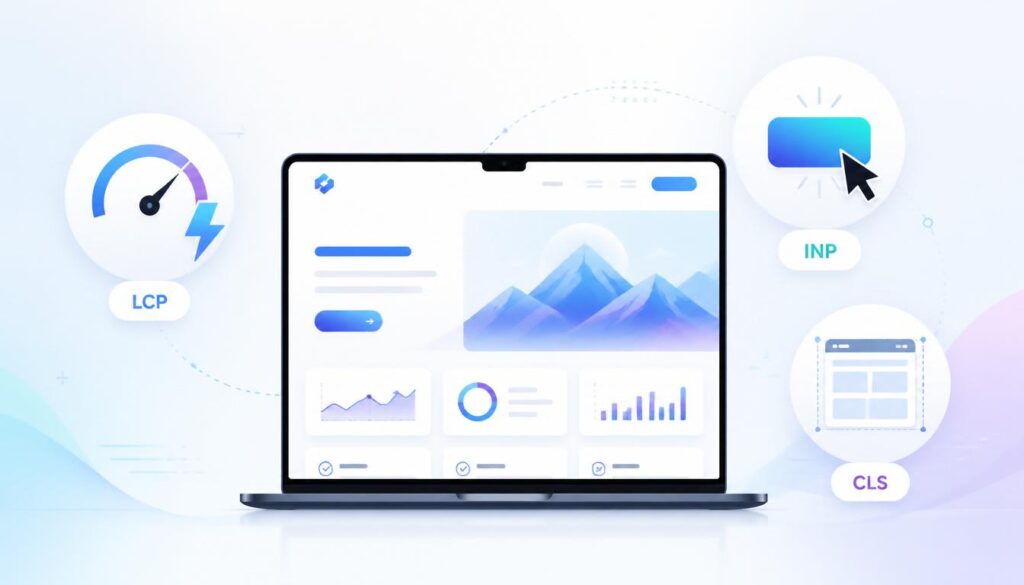
In 2021, page speed became more than a nice-to-have factor, it’s now a real measurable ranking factor known as Core Web Vitals by Google.
Understanding Core Web Vitals
Largest Contentful Paint (LCP)
This measures how long it takes for the biggest visible thing on the page — usually a hero image or a big headline — to actually render. Anything under 2.5 seconds is considered good.
Interaction to Next Paint (INP)
INP replaced an older metric called FID a while back. It tracks how quickly your site responds when someone clicks or taps something. Click “Sign Up” and wait even half a second for anything to happen? That’s the kind of lag INP is built to catch.
Cumulative Layout Shift (CLS)
You know the feeling — you go to tap a link, and right before your finger lands, an ad loads in and shifts everything down, so you end up clicking the wrong thing. That’s a layout shift, and it’s exactly what CLS measures. Google isn’t fond of it.
Practical Ways to Reduce Load Time
Image optimization is usually the first place to look. Huge, uncompressed JPEGs are still the number one reason sites feel sluggish. Switching to WebP can shave off roughly 30% of the file size without any noticeable quality loss. From there, a few other things help:
- Turn on browser caching so returning visitors aren’t re-downloading files that haven’t changed.
- Use a CDN so your files get served from a server closer to wherever the visitor actually is.
- Lazy-load anything below the fold — images, embeds, scripts that don’t need to run immediately.
- Re-check your work with Google PageSpeed Insights after each change, so you actually know it helped instead of assuming.
Mobile Experience Signals That Affect SEO
Google indexes your site mobile-first now, which means the mobile version of your pages is what actually gets evaluated — not the desktop version you probably spent more time polishing. A gorgeous desktop layout paired with a cramped, barely-readable mobile site is going to hurt you, and there’s no way around that.
Responsive design is the baseline, but it’s not the finish line. A few things that get missed:
- Leaving enough room between buttons so people don’t tap the wrong one by accident.
- Font sizes that are actually readable on a five-inch screen without pinch-zooming.
- Making sure mobile speed holds up on an actual mobile connection, not just your office Wi-Fi.
Making Your Website Easier to Crawl and Index
If Google can’t find a page, that page might as well not exist. This whole section is about keeping the door open for crawlers instead of accidentally locking them out.
XML Sitemap Setup
An XML sitemap is essentially a map of your most important pages, submitted through Google Search Console. Instead of leaving Google to guess which pages matter, you’re handing it a list.
Robots.txt Configuration
This file tells bots where they’re not allowed to go — login pages, backend directories, that sort of thing. The mistake that trips people up more than any other is accidentally disallowing the homepage or a core section, which can knock the entire site out of search without anyone noticing until traffic drops.
Fixing Crawl Errors
Crawl errors quietly choke off your visibility because search engines simply can’t reach content they’re blocked from or that returns an error. The usual suspects:
- 404s (pages that don’t exist anymore)
- 5xx server errors
- Redirect chains — one redirect leading to another, leading to another
- Broken internal links
- Pages accidentally blocked by robots.txt
Running a periodic check in Search Console and fixing what turns up keeps this from piling up unnoticed.
Fixing Duplicate Content With Canonical Tags
Sometimes one piece of content ends up living at multiple URLs — a filtered search page, a tracking parameter, whatever. Search engines don’t love that ambiguity. A canonical tag settles it by pointing to the version that should actually rank:
<link rel="canonical" href="https://example.com/technical-seo-guide" />Security Signals Search Engines Trust
HTTPS isn’t really a choice anymore. Sites without an SSL certificate get flagged “Not Secure” right in the browser bar, and most visitors bounce the moment they see it — can’t really blame them. Beyond the padlock, keeping your CMS and plugins updated matters too, since outdated software is one of the more common ways malware ends up injected into a site, which is a fast track to getting pulled from search results altogether.
Schema Markup and AI Search Visibility
As search leans harder into AI — think Google’s AI Overviews, or Gemini-powered results — schema markup has quietly become one of the more valuable things you can add to a site. It’s structured data added to your HTML that spells out what your content actually means, not just what it says.
Whether you’re running a local business page, a recipe blog, or a product review site, schema is what unlocks rich snippets — the results with star ratings, prices, or dropdown FAQs — and it makes your content easier for AI systems to pull from accurately.
Here’s what FAQPage schema looks like in practice, based on the FAQ section further down:
<script type="application/ld+json">
{
  "@context": "https://schema.org",
  "@type": "FAQPage",
  "mainEntity": [
    {
      "@type": "Question",
      "name": "Does technical SEO involve coding?",
      "acceptedAnswer": {
        "@type": "Answer",
        "text": "Not always. Many modern tools and CMS settings let you manage technical SEO without writing code, though some tasks (like schema or canonical tags) may require basic HTML edits."
      }
    },
    {
      "@type": "Question",
      "name": "How long does it take to see results?",
      "acceptedAnswer": {
        "@type": "Answer",
        "text": "Content takes time to rank, but fixing technical errors — like indexing issues — can produce visibility improvements within days."
      }
    },
    {
      "@type": "Question",
      "name": "Is speed more important than content?",
      "acceptedAnswer": {
        "@type": "Answer",
        "text": "Content is still what earns rankings long-term, but speed is the foundation it sits on. If a site loads slowly, visitors bounce before they ever read it."
      }
    }
  ]
}
</script>
Technical SEO Tools Every Beginner Should Use
None of this requires a big budget.
- Google Search Console — free, and honestly the most important one here. It shows you how Google actually sees your site, indexing issues included.
- Google PageSpeed Insights — the go-to for checking your Core Web Vitals on any given URL.
- Screaming Frog SEO Spider — free up to 500 URLs, and it crawls your site more or less the way Google does, which makes it great for spotting broken links or missing tags before Google does.
Common Mistakes That Hurt New Websites
A few things come up again and again with new sites:
- A beautiful desktop design that falls apart on mobile.
- Uploading images straight from a camera or phone without compressing them first.
- Forgetting to noindex a staging site, so Google ends up indexing your unfinished work instead of the real thing once it launches.
Long-Term Technical SEO Habits That Scale
Technical SEO isn’t something you fix once and walk away from. The more content you publish, the more links tend to break, and the more page speed quietly drifts as you add features. A rough monthly routine helps:
- Check Search Console for new Core Web Vitals issues.
- Run a crawl (Screaming Frog works fine) to catch new broken links.
- Make sure your server and plugins are up to date.
- Confirm anything you published that month is actually getting indexed.
Conclusion
At the end of the day, technical SEO is about removing friction — for the crawlers trying to read your site, and for the humans trying to use it. A fast, secure, well-organized site is simply easier for search engines to trust and rank. Handle these fundamentals before launch, and during it, and you give your site a real shot at climbing the rankings instead of quietly sitting on page five.
FAQs
Does technical SEO involve coding?
Not always. Plenty of it can be handled through CMS settings and plugins, though a few things — schema, canonical tags — sometimes call for a small HTML edit.
How long does it take to see results?
Content takes a while to earn rankings, but technical fixes, like resolving indexing problems, can show up in visibility within days.
Is speed more important than content?
Content is still what gets you ranked long-term, but speed is what keeps people around long enough to read it. A slow site loses visitors before they ever get that far.

This roadmap provides a vital look at the technical foundation needed for any successful launch.
Thank you for your feedback! Glad you found the technical SEO roadmap helpful and insightful for building a strong launch foundation.