Great content isn’t enough on its own. If a page is slow to load, buttons feel unresponsive, or the layout keeps jumping around while you’re trying to read, people notice — and they leave.
That’s the gap Core Web Vitals are meant to measure. They’re a set of three metrics from Google — explained in full in the Core Web Vitals guide — that look at how a webpage actually feels to use: how fast it loads, how responsive it is, and how stable the layout stays. The three metrics are Largest Contentful Paint (LCP), Interaction to Next Paint (INP), and Cumulative Layout Shift (CLS).
You don’t need a technical background to get the gist:
- LCP — how long it takes for the main content to show up
- INP — how quickly the page reacts when you click or tap something
- CLS — whether things stay put, or shift around unexpectedly as the page loads
In this guide, we’ll break down what each of these means in plain terms, what a “good” score actually looks like, how you can check where your site stands, and a few practical steps for Core Web Vitals optimization.
Table of Contents
- Core Web Vitals at a Glance
- Core Web Vitals Without the Jargon
- Core Web Vitals Explained
- How to Check Your Core Web Vitals
- Difference: Optimized vs Unoptimized Sites
- How Website Performance Affects Businesses
- Common Frustrations Users Recognize Instantly
- What the Future Looks Like
- Frequently Asked Questions
- Final Thoughts
Core Web Vitals at a Glance
| Metric | What it measures | Good score |
|---|---|---|
| LCP | How quickly the main content loads | 2.5 seconds or less |
| INP | How quickly a page responds to interactions | 200 ms or less |
| CLS | How stable the page layout is | 0.1 or less |
Google evaluates these metrics using real-user data, with the recommended thresholds assessed at the 75th percentile.
Think of them as three simple questions:
LCP: “Can I see what I came here for?”
INP: “Does the website respond when I click or tap?”
CLS: “Does everything stay where I expect it to be?”
Core Web Vitals Without the Jargon
Suppose you were to enter a restaurant. You’re expecting to be sitting in a reasonably short time. You expect the staff to respond when you place an order. And you definitely do not expect someone to move your table while you are in the middle of eating.
A website visit follows the same logic. Users want content to appear quickly, interactions to work instantly, and the layout to stay where it is. Core Web Vitals measure each of these three expectations with a specific metric — no technical knowledge required to understand what they are tracking.
Core Web Vitals Explained
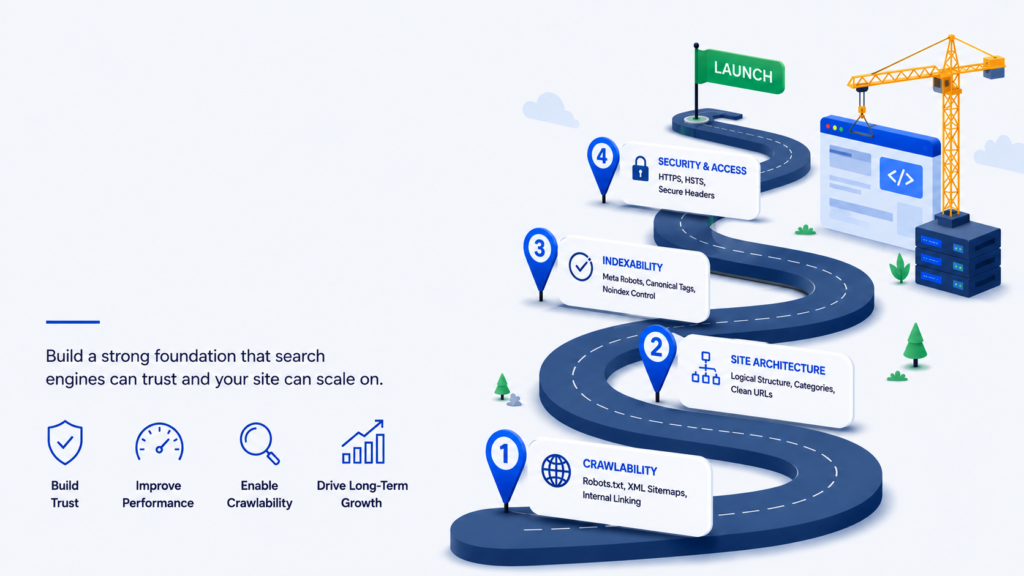
Core Web Vitals get a lot of attention, but honestly, they’re only part of the story. Before worrying about load times and layout shifts, make sure the basics are sorted — can Google even crawl and index your pages properly? Is your site structured in a way that makes sense? Skip that step and Core Web Vitals won’t matter much anyway.
Once that’s handled, here’s what you actually need to know about the three Core Web Vitals metrics.
LCP: How Fast Does the Main Content Load?
LCP measures how long it takes for the biggest visible element on a page to appear — usually a large image, heading, or text block. Google recommends 2.5 seconds or less.
Example: You open a blog post. The background loads fast, but the headline and article text take five seconds. It still feels slow, even though something loaded quickly.
Common causes: large images, slow server response, render-blocking CSS/JS, too many resources loading first, slow hosting or connection.
Fix: Compress images, improve server speed, cut unnecessary resources, and let main content load first.
INP: How Quickly Does the Page Respond?
INP measures how fast a page reacts to clicks, taps, or other interactions. A good score is 200ms or less.
Example: You click “Add to Cart.” On a fast site, it reacts instantly. On a slow one, nothing happens for a moment — making users click again or think the site is broken.
Common causes: heavy JavaScript, long-running tasks, too many third-party scripts, unnecessary code running in the browser.
Fix: Reduce JavaScript and keep interactions lightweight.
Note: INP replaced FID as a Core Web Vital on March 12, 2024.
CLS: Does the Page Move Unexpectedly?
CLS measures unexpected content shifts while a page loads or is being used. A good score is 0.1 or less.
Example: You’re about to click a button, then an ad loads and pushes it down — you click and land somewhere else by mistake.
Common causes: images without set dimensions, ads/embeds loading without reserved space, dynamically inserted content, fonts causing shifts.
Fix: Reserve space in advance for images, ads, and other dynamic elements.
How to Check Your Core Web Vitals
Checking your site’s Core Web Vitals doesn’t require any coding knowledge — just a couple of free tools.
Option 1: Google PageSpeed Insights
- Open Google PageSpeed Insights
- Enter the URL of the page you want to test
- Run the test
- Review the Core Web Vitals results
- Check both mobile and desktop performance
PageSpeed Insights points out performance opportunities and gives you a clear picture of how the page is actually performing.
Option 2: Google Search Console
When you have enough traffic from real users, the Core Web Vitals report in Search Console provides information about how these pages function for real users as well as in a lab test. It is compatible with Google Search analytics, which is the Performance report displaying the number of clicks, impressions, and average position. By viewing both together, you’ll see if there’s a correlation between your lowest-ranking pages, the most unstable pages on your site, and pages that are losing visibility. If the numbers seem overwhelming, here is a no-jargon guide to Google Search analytics and Search Console performance metrics. Testing in the lab does not always match real-user data. A single page can behave in various ways depending on the browser and screen resolution of a viewer, as well as the speed of their Internet connection and location.
What Should You Look For?
Keep it simple — aim for these targets:
- LCP: 2.5 seconds or less
- INP: 200 milliseconds or less
- CLS: 0.1 or less
Difference: Optimized vs Unoptimized Sites
Online Shopping
In a well optimised retail site, the product images scroll before the user makes it to them, the size and colour options react instantly to a user’s choice and the checkout button remains in place all through the visit. It ensures a seamless journey from browsing to buying.
On sub-optimal sites, images may take several seconds to load, your choices lag and promotions may even load after you’ve already selected an item and the add-to-cart button is pushed down out of the way just as you are about to tap it. The result is frustration — and usually an abandoned cart.
Reading an Article
A good news or blog page should load the article text almost immediately, maintain a consistent layout as the other elements load and allow the user to scroll and read without interruption.
If it’s not built well, ads take several seconds to load before the article, pushing the text down mid-read. The user gets frustrated and closes the tab before completing the action that would have made the visit valuable to the website.
Booking a Service
Search results that appear quickly and filters that respond without delay make comparison easy and keep users moving through the process. Pages that freeze or reload with every filter change turn a simple task into something genuinely tedious — and users do not tolerate tedious for long.
How Website Performance Affects Businesses
It is not uncommon to hear that an enterprise has spent a lot of money on design, content and marketing, but has not cared about the performance of their website. The problem is that performance affects everything downstream from those investments.
Trust and First Impressions
Users equate a high-quality website with a high-quality business, so a slow or jumpy page can cost you trust before anyone reads a word. Fixing performance is a solid first step, and knowing how to build trust beyond that, with real authorship, contact details, and transparent policies, is what keeps visitors around.
Conversions and Revenue
Visitors who encounter friction during browsing or checkout are significantly less likely to complete a purchase. Even small delays — fractions of a second in some studies — have measurable effects on conversion rates.
Return Visits and Loyalty
User engagement doesn’t stop at the end of the session! Positive experiences lead to return, subscription, recommendation and purchase of repeat items. Users who had a frustrating experience usually do not return at all — and they do not give the site a second chance to impress them.
Search Visibility
Google counts Core Web Vitals as part of its page experience signals. Content still comes first. But when two pages are about equal, the faster, steadier one can edge out the other. Visitors also stay longer on pages that feel smooth, and that helps your traffic. Because user experience now plays a role in search performance, reviewing Core Web Vitals should be a standard part of any SEO checklist for blog posts. Ensuring that pages load quickly, respond smoothly to user interactions, and remain visually stable helps support both search rankings and visitor satisfaction, creating more opportunities for long-term organic growth.
Common Frustrations Users Recognize Instantly
If the user doesn’t know what CLS is, they can still sense when it happens when the user taps a link and ends up on a different page due to an unexpected shift at the last minute. They have experienced a “button that doesn’t budge. They know the particular frustration of watching a page sit blank for several seconds with no indication that anything is happening.
These are not obscure technical failures. They are experiences that most internet users have every week, and they are exactly what Core Web Vitals are designed to identify and fix. Some of the most common ones include:
- Clicking a button repeatedly because nothing appears to happen
- Staring at a blank screen with no progress indicator
- Accidentally tapping an ad because content shifted at the wrong moment
- Losing patience and abandoning a checkout process
- Leaving a website simply because it felt too slow to be worth the effort
What the Future Looks Like
User expectations of website performance don’t stay constant, they are increasing year-by-year. Quick and robust sites are becoming a common phenomenon and the difference is growing even more pronounced with slow or unstable sites. What felt acceptable a few years ago now feels outdated.
Businesses and website owners who treat performance as an ongoing priority — not a one-time fix — are the ones best positioned to maintain strong visitor engagement, keep up with rising expectations, and hold an advantage over competitors who treat their website as an afterthought.
Though not an exhaustive list of the most important elements of user experience, Core Web Vitals are also a thoughtful and effective approach to improving the web for all its users on a daily basis.
Frequently Asked Questions
What are Core Web Vitals?
They’re a set of three metrics Google uses to judge how a website actually feels to use — how fast it loads, how quickly it responds when you interact with it, and whether the layout stays put or jumps around on you.
What are the three Core Web Vitals?
- Largest Contentful Paint (LCP)
- Interaction to Next Paint (INP)
- Cumulative Layout Shift (CLS)
What counts as a good score?
Roughly speaking:
- LCP under 2.5 seconds
- INP under 200 milliseconds
- CLS under 0.1
Do Core Web Vitals actually affect Google rankings?
Yes, but only a little. Core Web Vitals are one of Google’s page experience signals, and they won’t beat relevance or good content. They can tip things your way when two pages are about equal, though. A great score won’t push you to the top on its own, because plenty of other factors are at play.
How do I check mine?
Google PageSpeed Insights works fine for testing a single page. If you want a bigger picture based on real visitors rather than a simulated test, Search Console’s Core Web Vitals report is the place to look — assuming your site gets enough traffic for Google to have data on it.
How often should I be checking this stuff?
Anytime you make a major change — new theme, redesign, added plugins or scripts, that kind of thing — it’s worth a quick check. Beyond that, don’t just check once and forget about it; keeping an eye on it periodically catches problems before they pile up.
Is fixing Core Web Vitals hard?
Depends on the issue. Compressing images, trimming extra scripts, setting fixed dimensions so things don’t shift around — that stuff is pretty manageable on your own. But some performance issues run deeper and really need a developer to sort out.
Final Thoughts
The reasons for the existence of Core Web Vitals are that the difference between a good and a frustrating Web experience will affect users, businesses, and the Web.
They provide a quantifiable and understandable metric for website owners to see how their website is experienced by their visitors. Whether users can see content come to the forefront in a timely manner, whether interactions respond to them right away, whether browsing without surprising interruptions — these are moments that users value most, even if they can’t always verbalize them.
A level of engagement with visitors is not something that can be created by marketing alone. It is earned through experience. Every second shaved off a load time, every layout shift eliminated, every button made more responsive — these are investments in the trust and attention of the people a website is trying to reach.
Businesses and website owners who understand that connection, and act on it consistently, are better positioned to build lasting relationships with their audience. In a web full of alternatives and users with very little patience to spare, that advantage is not a small thing.