A common mistake made by many people creating or operating a website is that after they publish, after a few days, they notice that the page is not appearing on Google. They begin optimizing the keywords, reframing headlines and even panicking a bit — when it’s not really about the SEO tactics. The page was not indexed in the first place. It doesn’t exist in Google’s eyes yet.
So let’s get back to the definition, how this works and why so many pages fall through the cracks.
What Indexing Actually Means
The word indexing is used interchangeably with the word ranking but they are two different phases. Before ranking can even happen there must be indexing.
Picture a librarian who spends her days walking the internet, picking up pages as she finds them. Crawling is her walking around and grabbing copies of what she finds. Indexing is what happens after — she sits down, reads what she picked up, figures out what each page is actually about, and files it somewhere in this enormous catalog. Ranking doesn’t even get sorted until someone looks for a page, and Google determines which file pages to pull to the top.
However, if your page isn’t in that catalog, then it doesn’t matter how good the content is. It’s invisible. Not ranked low — invisible.
First, Google Has to Find You
Before any of that filing can happen, Google has to stumble across your page in the first place. This part surprises people: Google doesn’t automatically know a page exists just because it’s live on your server.
Following Links Around the Web
Google’s crawler, Googlebot, mostly gets around the same way a curious person does — by clicking links. Say a well-established food blog links out to a small, brand-new site that has a detailed guide on maintaining a sourdough starter. There’s a decent chance Googlebot will follow that link over from the food blog and discover the small site for the very first time, simply because something bigger pointed at it.
This is the exact reason internal linking gets brought up so often in SEO circles. A blog post sitting on your site with zero links pointing to it — not from your homepage, not from another article, nowhere — is basically a page floating in space. Googlebot has no path to reach it.
Giving Google a Shortcut with Sitemaps
An XML Sitemap sent via Google Search Console can help get things moving. It is a list you give to Google that you tell Google to look at and say “this is everything you can find on my site.It is essentially a list that you provide Google to feed on and tell Google to go look at this list and tell Google that this is all that you have.
A new online store with fifty new product items added doesn’t want to wait around for Googlebot to discover all of them by chance via random links. They submit a sitemap and cut that guesswork out. For something urgent — a breaking news piece, say — there’s also the URL Inspection tool, where you can request that one specific page get crawled right away instead of waiting in line.
Crawling Is Not the Same as Indexing
Here’s the part people miss: getting crawled doesn’t guarantee getting indexed. Google can visit a page and still decide not to keep it.
The Rendering Problem
Many of the websites these days have been built using JavaScript frameworks that dynamically load content, instead of the content just being HTML. In order to “see” what’s on these pages, Google has to render them, just like a browser.
This is where things go sideways more often than you’d think. Take a single-page app built in React, where the actual text content only appears after a batch of JavaScript runs. If Google’s renderer has trouble processing that script — and it does happen — the content might simply never get seen, let alone indexed, even though any human visitor loads the page and sees it fine.
What Google Looks At Once It’s In
Assuming rendering goes smoothly, Google’s systems dig into the page itself: the title tag, the headings, the body copy, any structured data sitting in the background. It’s also quietly comparing the page against everything else it already has.
A good example is a retailer with a hundred nearly identical product pages, same product, different color options, barely any unique text between them. Google will often just pick one version to index and quietly ignore the rest as duplicates — unless the site uses canonical tags to clearly tell Google these pages are meant to be treated as separate entities.
Reasons Pages Get Left Out
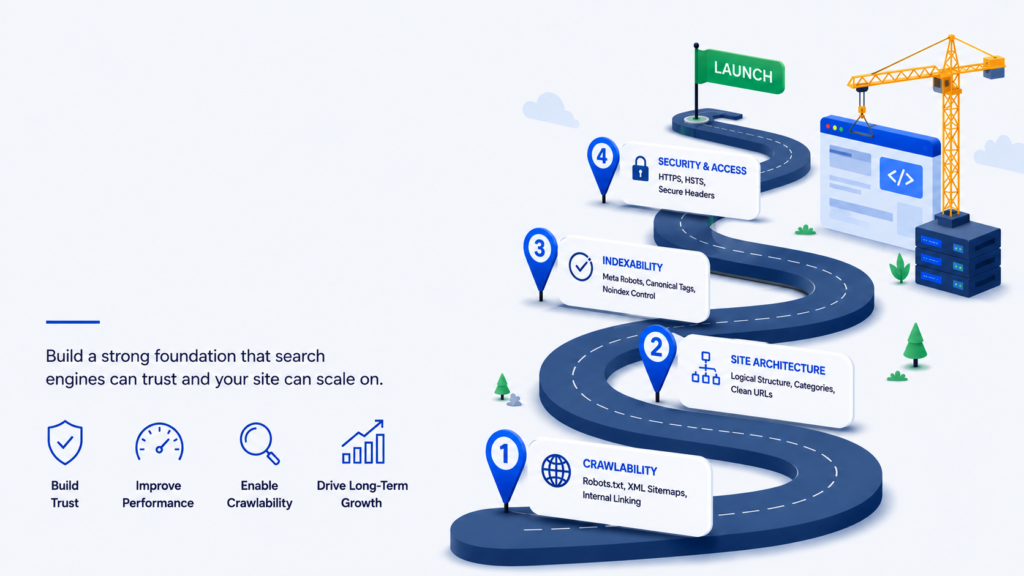
A solid technical SEO strategy can prevent many of the issues that commonly keep pages out of the index, including:
- A noindex tag is left on the page, sometimes by accident.
- Robots.txt rules blocking Googlebot from certain folders or URL patterns.
- Thin content — a page with barely two sentences of actual substance.
- Duplicate content that too closely mirrors something already indexed elsewhere.
- Crawl budget limits on very large sites, where Google simply hasn’t gotten around to every page yet.
One thing, more frequent than I think people realize, is that a company updates their web page, rolls out the new one, and they forget that there’s a noindex tag in the old version’s code. The whole new site is mysteriously removed from search for weeks and nobody notices.
Checking If You’re Actually Indexed
The fastest way to check is by typing the site:yourdomain.com/your-page-url into Google’s search bar. If it shows up, you’re indexed. If you want more detail — whether it was crawled, rendered properly, or hit some error along the way — the URL Inspection tool inside Search Console will spell it out.
A Few Things That Genuinely Help
- Keep your XML sitemap current and resubmit it after major changes.
- Link to new pages from older, already-established ones on your site.
- Double-checking your robots.txt file isn’t accidentally blocking something important.
- Test JavaScript-heavy pages with the URL Inspection tool to confirm Google can actually see the content.
If technical issues are preventing your pages from being crawled or indexed properly, technical SEO services can help identify and resolve those problems. - Write things that are genuinely distinct rather than another version of a page you already have.
- Fix crawl errors quickly. Broken links and server errors that keep repeating can make Googlebot visit less often.
Build a technical SEO strategy that keeps your site easy for Google to crawl, render, and index as it grows.
Wrapping This Up
Indexing isn’t instant, and it isn’t automatic. It’s a chain of steps — discovery, crawling, rendering, evaluation — and a page has to clear all of them before it even becomes eligible to rank. Once you understand that, a lot of “why isn’t my page showing up” mysteries stop being mysteries.
Getting indexed is the entry ticket. Everything else in SEO only matters after you’ve got one.