There’s a specific kind of dread that comes with opening Google Search Console and watching your traffic graph go flat — or worse, slope downward — for days in a row. Well, this is what happened to me when a big algorithm change came along from Google. One of my sites had been pretty successful in organic search and began to leak traffic. Steadily enough that I didn’t think of it as background noise, not in dramatic fashion, but in a steady progression.
As a first thought, I was thinking that it would rebound. It didn’t. After about a week of watching the same pattern, I accepted that something had actually changed — and that I’d need to figure out what before I could fix it.
What followed wasn’t a quick turnaround. It took a few months of fairly unglamorous work: auditing content, rewriting pages, fixing gaps I’d been ignoring for too long. But the traffic did come back. Some pages ended up ranking better than they ever had. This is what I did.
Table of Contents
- Why Google Updates Can Hurt Organic Traffic
- The Moment I Realized Traffic Was Dropping
- Identifying What Actually Changed
- Auditing My Existing Content
- Fixing Thin and Outdated Pages
- Improving Search Intent Alignment
- Strengthening Internal Linking
- Enhancing User Experience Signals
- Monitoring Recovery Progress
- Final Thoughts
- FAQs
Why Google Updates Can Hurt Organic Traffic

Google’s core updates are designed to do one thing: surface better results for searchers. When an update rolls out, it’s essentially Google recalibrating what “better” looks like — factoring in content quality, relevance, how well a page matches what someone actually wants, and whether the site overall feels trustworthy.
The frustrating thing is that a traffic drop after an update isn’t necessarily a punishment. More often it just means someone else is now doing a better job of answering the same question. That realization was actually useful for me — it stopped me from looking for some technical loophole and pointed me toward the real problem: my content wasn’t good enough anymore.
The Moment I Realized Traffic Was Dropping
Search Console was the first place I noticed it. Impressions across multiple pages were falling, and a handful of keywords I’d held page-one positions for had quietly slipped to page two. Nothing dramatic — just that slow bleed that’s easy to explain away until you can’t.
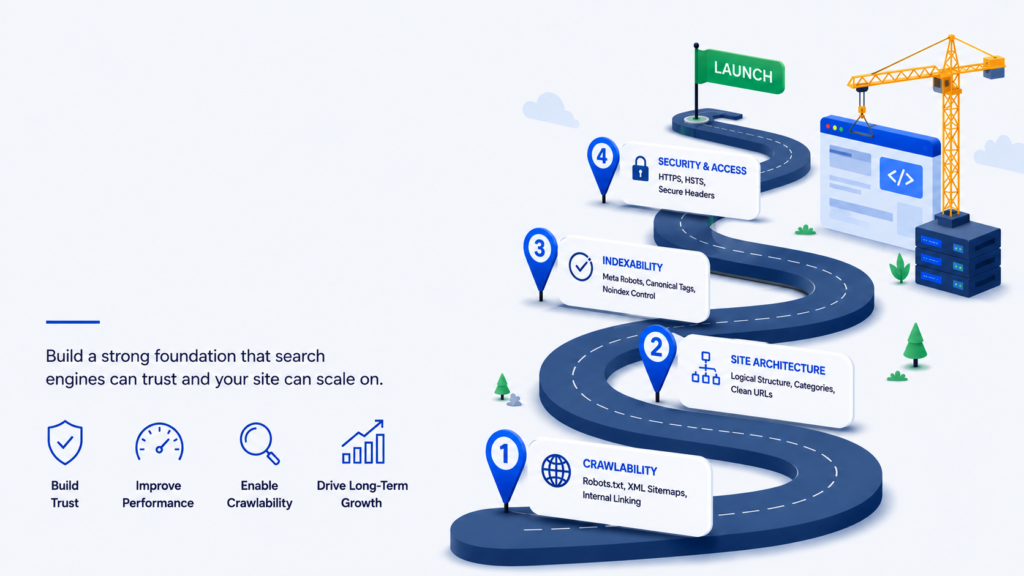
I ran through the usual technical checks: indexing lookedWhen I checked the time with Google’s update notices, it became clear that it was a direct correlation. The downward trend began just about when the update began rolling out.
I’ve made a few mistakes here, and the great one is that I didn’t change a lot while an update was still installed. The dust needs to settle and acting too quickly can create additional problems as well.
Identifying What Actually Changed
Before touching anything, I compared the pages that had lost traffic against ones that were holding steady or improving. Patterns showed up fairly quickly.
| What I found | Why it mattered |
| Outdated stats and information | Made the content feel stale and less trustworthy |
| Poor match with search intent | Users weren’t finding what they came for |
| Thin coverage of the topic | Competitors were answering more of the question |
| Almost no internal links | Pages were effectively isolated from the rest of the site |
I also had some time on competitor pages not to copy, but to learn what they are doing that my pages are not doing. Most of them contained fresher information and they covered more angles of the topic and were just easier to read.
Auditing My Existing Content
Next came the part nobody enjoys: going through every page that mattered and being honest about its quality. For each one I asked myself: is the information still accurate? Does it actually answer what someone searching this keyword wants to know? Would I trust this page if I found it through Google?
A lot of the issues were small in isolation — a screenshot from three years ago, a statistic that had since changed, a recommendation for a tool that no longer existed. But they added up. They did it together, and made a wrong impression that the site was not taken care of.
I put all the things into three categories: fix now, fix later, leave it. The structure was simple and the entire project was not overwhelming, but manageable.
Fixing Thin and Outdated Pages
The biggest single improvement came from focusing on existing content rather than publishing new stuff. I had articles that used to rank well but had been lapped by competitors covering the same topic in more depth. One that stood out was around 700 words — competing pages were running 1,500 or more and answering questions mine didn’t go near.
I expanded it. Added current information, real examples, answered the questions I’d skipped, cleaned up the formatting. Not to hit some word count target — I just asked “what’s actually missing here?” and filled in the gaps.
I also merged a few overlapping articles into one stronger piece. Separate pages competing for the same keyword were splitting authority that should have been concentrated in one place. Consolidating them helped.
Some of these updated pages started recovering impressions within a few weeks.
Improving Search Intent Alignment
This one surprised me with how much it moved the needle. I’d always thought about keywords — whether the right words were on the page, in the right places. But I hadn’t thought carefully enough about whether the page was structured to give people what they actually came for.
One clear example: I had a page targeting a keyword where the person searching clearly wanted to understand something, not buy something. My page was essentially a soft pitch — it answered the question eventually, but it led with product comparisons and calls to action. The intent mismatch was obvious once I saw it.
I rebuilt that page to lead with the explanation. Engagement improved pretty noticeably after that — people were staying longer because they found what they expected.
The question I now ask before updating any page: what does someone actually want when they search this? Getting that right has done more for rankings than any technical optimization I’ve tried.
Strengthening Internal Linking
I’ve been putting off this for a long time; I had done this in the past, but not for awhile. Many of my key pages were quite underlinked from other pages on the site and therefore very difficult for search engines and readers to find.
I scanned and linked to articles that were relevant; using anchor text that was descriptive of the page linked to and not generic. It’s a small thing, but it changed how the site held together. People started moving between articles more, sessions got longer, and the pages I linked to more heavily started getting more crawl attention too.
Internal linking isn’t just important for websites. The same advice holds true for professional platforms: Optimize your profile, make your content relevant, and strategically link to others. If you’re a B2B brand, our guide on how to do LinkedIn SEO for B2B Companies serves to help you become discoverable and attract more qualified leads.
Enhancing User Experience Signals
Content quality matters, but so does whether people actually read it. Some of my pages were walls of text — technically accurate, but not easy to move through. When content is hard to scan, people leave. And when people leave quickly, that’s a signal worth paying attention to.
I went through the worst offenders and broke things up: shorter paragraphs, clearer subheadings, the occasional table where it made sense, better formatting for mobile. Nothing revolutionary — just making the reading experience less of a slog.
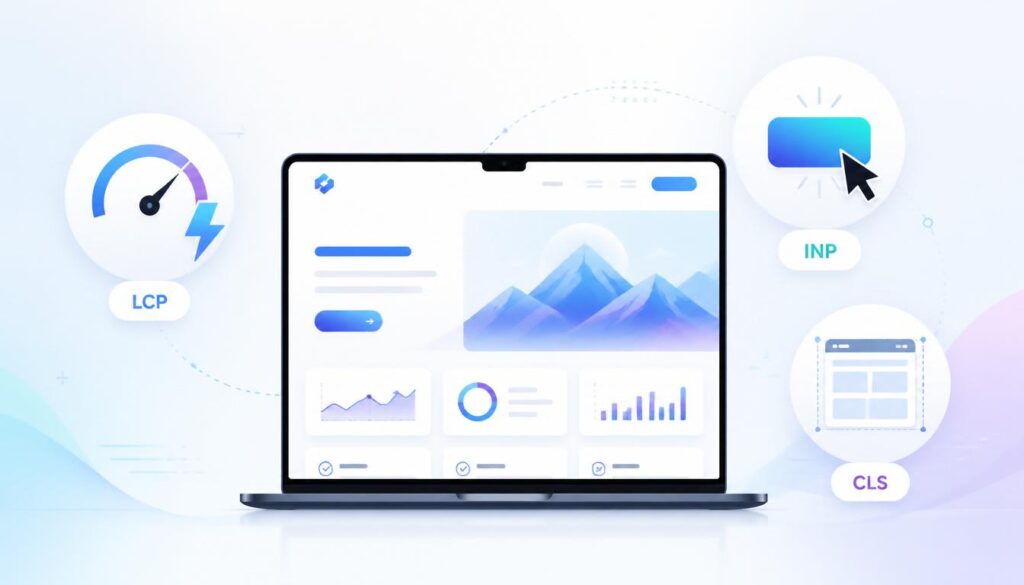
I also looked at page speed again and cleaned up a few things — oversized images, a couple of scripts that were loading unnecessarily. Not dramatic improvements, but part of the overall cleanup.
Monitoring Recovery Progress
Recovery was slow. The truth is that’s it. I was hoping for some real change at a particular point and it was just a gradual increase over a number of months. Some pages returned in quick time, others required a second update before being moved.
I monitored the number of clicks, impressions, ranking and engagement metrics every week. More importantly, I have attempted to be consistent versus second guessing the strategy whenever a page did not improve as quickly as I would like. It’s the site where people continue to make improvements rather than switching tactics every few weeks. That’s the one that will recover.
Final Thoughts
Looking back, the update did me a favor in a sense — it forced me to deal with content problems I’d been aware of but hadn’t prioritized. The recovery didn’t come from clever tactics. It was from creating pages that really were more useful: fresh information, better answers, content that really matched what someone searching that keyword really wanted.
As with the Google update, the ranking recovery mantra for useful content, expertise, and good intent matching also rings true for AI-driven search. As search technology evolves, knowing the latest trends in AI search ranking factors can help future-proof your content strategy.
Changing the thinking that helped most was to ask “how do I recover from this update?” and begin to ask “what would make this page the most useful result for this search? It’s not the same question and the second one works better.
FAQs
How long does it take to recover organic traffic after a Google core update?
Symptoms typically clear up within weeks to months depending on the number and degree of ranking losses and the degree of improvement. There will need to be at least one more update cycle of Google to validate the changes to get the most meaningful recovery.
Should I delete pages that lost traffic after a Google update?
Not immediately. Content updates, increased alignment with search intent, and better E-E-A-T signals are key strategies for most web pages that are losing traffic. For pages with little to no potential for recovery, and very little organic value, deletion should be considered a last resort.
Can building more backlinks restore rankings lost after an algorithm update?
After a core update that is more about content quality, the page itself is the main lever to improve rankings, with backlinks supporting that. If the links are with low quality and non-conforming intent, then very little impact is made.
What should I check first when organic traffic drops suddenly?
Firstly check Google Search Console: confirm the pages are still ranked, how many pages were manually actioned, and explore why pages were not found or why queries were not found. Finally, compare the timing with the dates of known Google updates, to identify whether it is algorithmic or technical.
How can I protect my site from future Google algorithm updates?
Prioritize high-quality and relevant content that showcases your experience and expertise, maintains current information, fits the searcher’s intent, and provides a good user experience. Websites that focus on user satisfaction rather than optimizing their algorithms are much more likely to withstand changes in the future.